Blocks distractions page by page · macOS and Windows
Keep the lecture.
Lose the
rabbit hole.
Say what you’re doing, and an AI model rules on every page as it loads: the lecture on YouTube plays, while Shorts, the home feed and the off-topic autoplay never show up. Same on Reddit, Wikipedia, Spotify, Instagram, X and every other page you open, in every browser and every app on the machine.
Free for 7 days · no card · then 9.99 EUR a month, unlimited, cancel from the app
SESSION Studying: STEM
-
youtube.com/The lecture on the subject you picked. verdict: Allowwatch?v=… -
youtube.com/The feed underneath it never shows up. verdict: Blockshorts
Same site. Different verdict.
See it decide
A page judge.
A blocker bans YouTube, so it takes the lecture with the feed. Focusing App doesn’t ban YouTube. It blocks what is off intent there and leaves you free to look up what you need: the tutorial, the lecture, the study material. The same site, page by page, and every verdict below is real.
SESSION Studying: STEM
-
en.wikipedia.org/The article for the course. verdict: Allowwiki/ Aldol_reaction -
en.wikipedia.org/Forty tabs later starts here. verdict: Blockwiki/ List_of_Internet_phenomena
SESSION Working
-
reddit.com/The thread you were sent. verdict: Allowr/ ExperiencedDevs -
reddit.com/The front page is the scroll. verdict: Blockr/ all
SESSION Relaxing: blocking doomscrolling, gambling, adult content
-
x.com/Someone wrote to you. Nothing you named applies. verdict: Allowmessages -
x.com/The timeline is the feed you named. verdict: Blockhome
Real addresses, ruled under the session named on each card. What goes out for the verdict is the address, the session in force and, where the address alone can’t decide, the content being judged.
Who it’s for
Exam week. The work machine. The evening after.
Students
The lecture is on YouTube, and so is everything else.
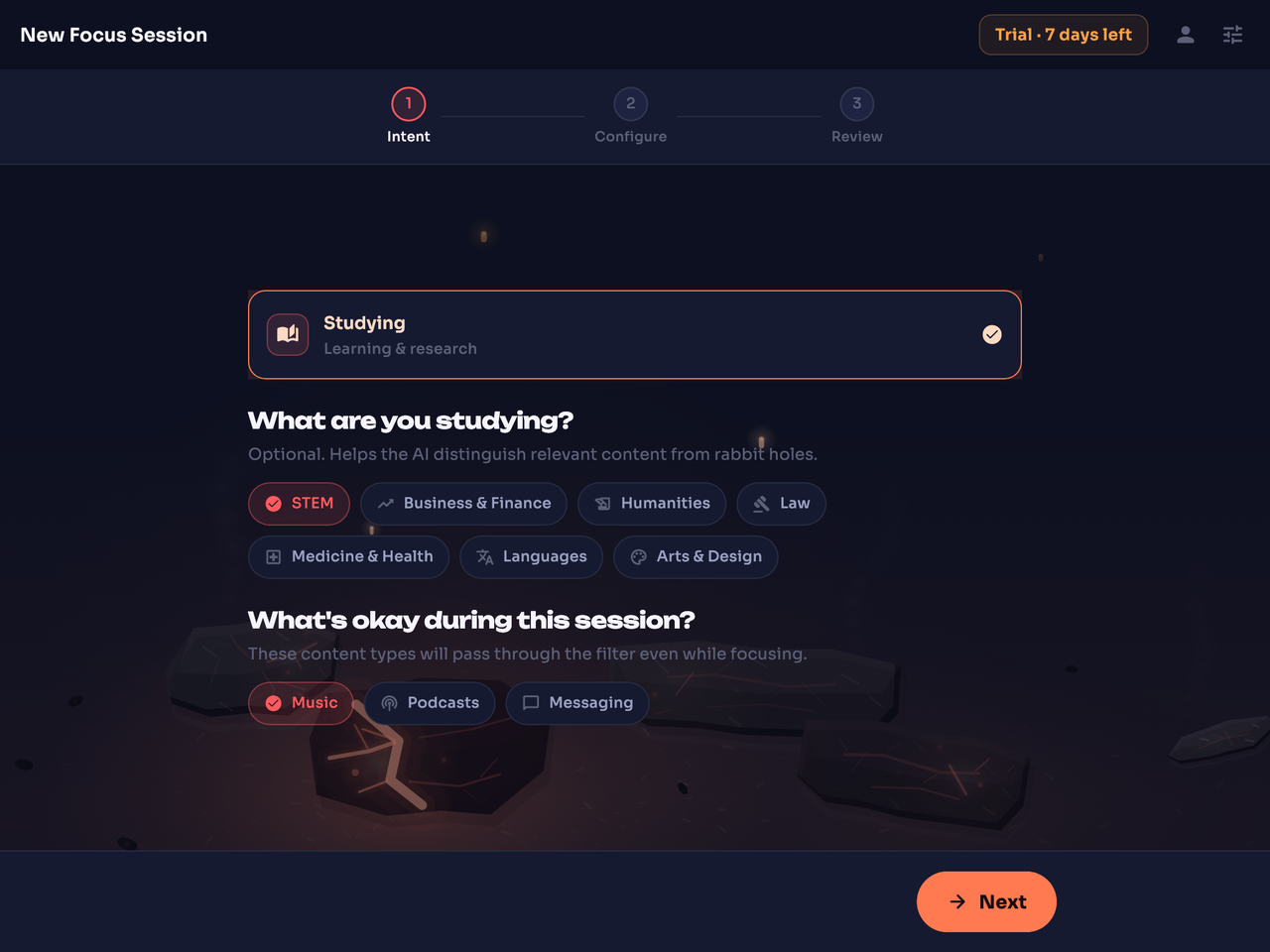
Pick Studying, pick the subject. The recording plays, the feed doesn’t.
For students →POLICY “engineering work, payments platform, no social media”
-
github.com/verdict: Allowyourco/ payments/ pull/ 812 -
github.com/verdict: Blocktrending -
docs.stripe.com/verdict: Allowapi/ payment_intents -
x.com/verdict: Blockhome
Teams & schools
A policy in your own words, per machine or for all.
For the machines you manage. Run headless, with nothing on anyone’s screen, and nothing ties a ruling to a person.
For teams and schools →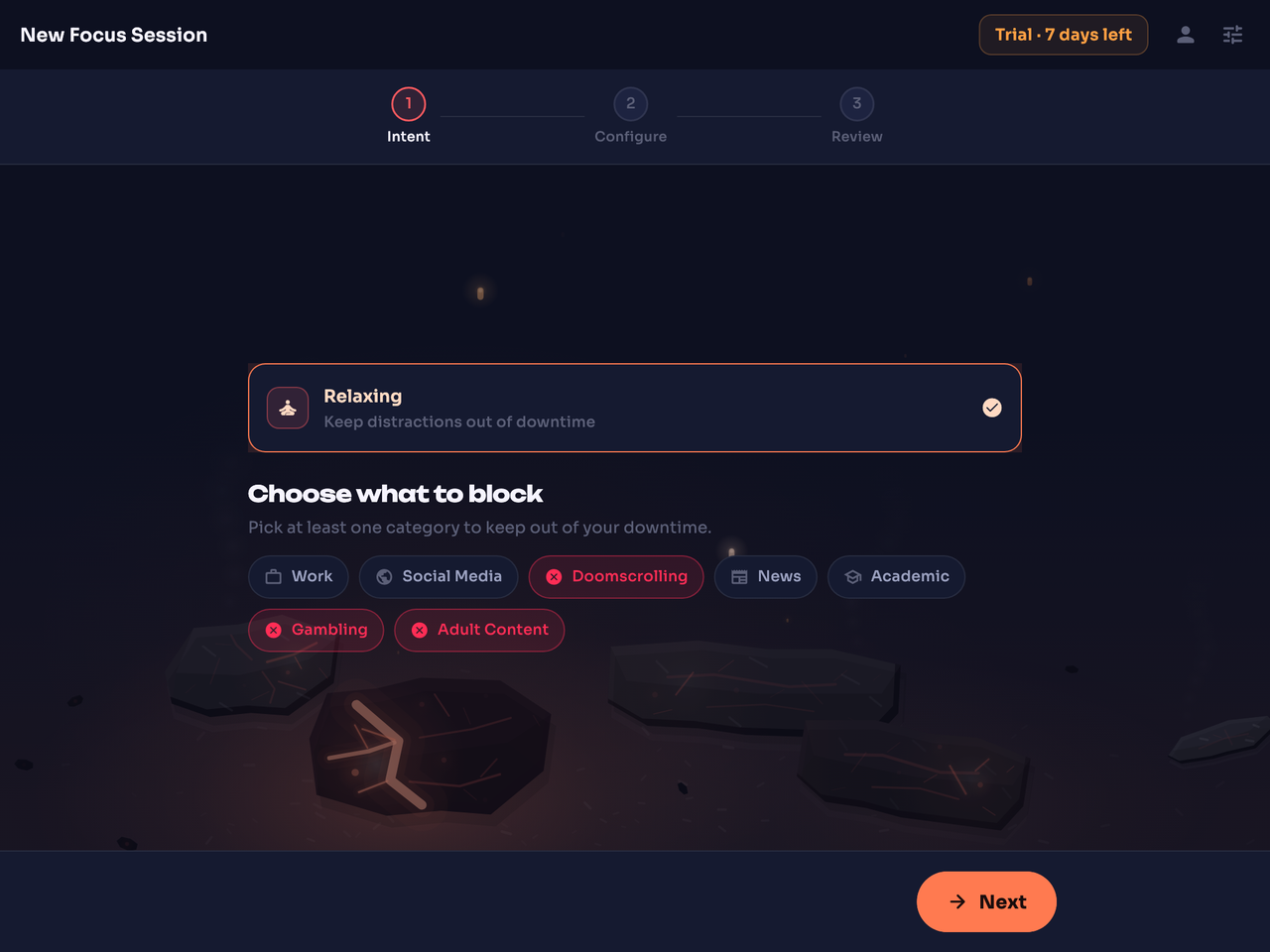
Evenings
Keep Netflix and the subreddit. Lose the feed and the betting tab.
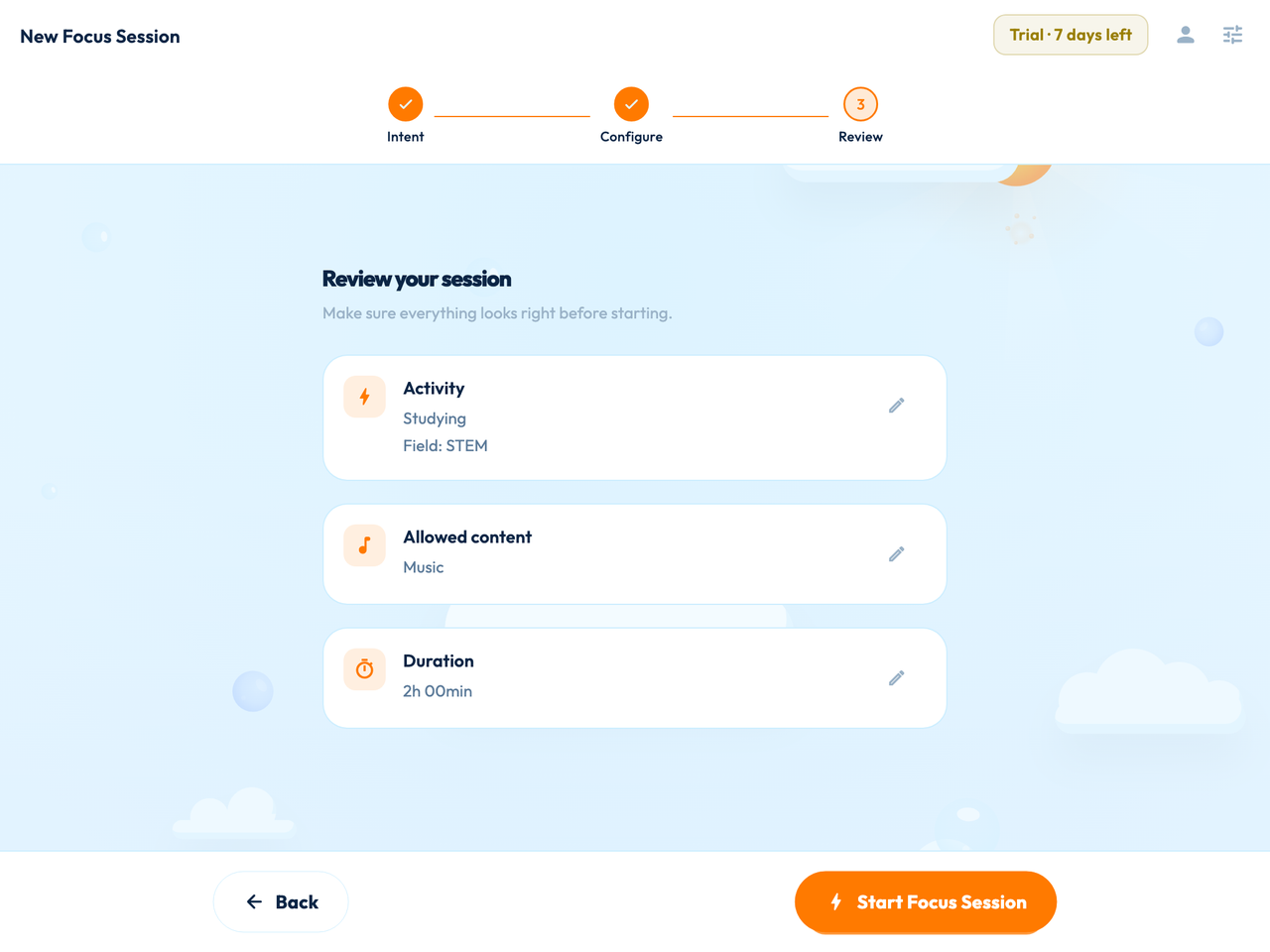
A Relaxing session runs the other way: everything loads except what you named, and you name it once, in daylight.
For your evenings →Working alone at your own machine? That is the Working session, no policy needed. Download and pick Working.
Start a session on this machine.
Free for 7 days, no card. macOS and Windows.
On your phone? Send yourself the link for your desk.
Focusing App runs on your Mac or PC, not your phone. The link opens the download buttons there.
Why site blockers fail
A blocker bans the site. Then you need the site.
Every site blocker dies the same way: you block YouTube on Monday, you need a tutorial on Tuesday, and by Wednesday it’s off. Ruling per page is the difference.
| Question | Site blockers and screen-time limitsBlockers | Focusing App |
|---|---|---|
| Blocks Shorts, keeps the lecture | Nothe whole domain goes | Yes |
| Judges the page, not just the address | No | Yesaddress first, content where it can’t tell |
| Covers every browser and every app | Someextensions cover one browser | Yesit filters at the network layer |
| Stopping early | One click | A hold, not a clickthe length is yours to set, before you start |
| Keeps going with the app closed, through a reboot | Some | Yesa background service; no end time plus a long hold makes it a lock |
| Allowed pages load directly | DependsVPN-style tools route everything | Yesa local filter, nothing detours through us |
| Keeps a record of who opened what | Some | Nevernothing ties a ruling to a person |
How it works
You pick a session. Every page after that gets a verdict.
01
Pick a session.
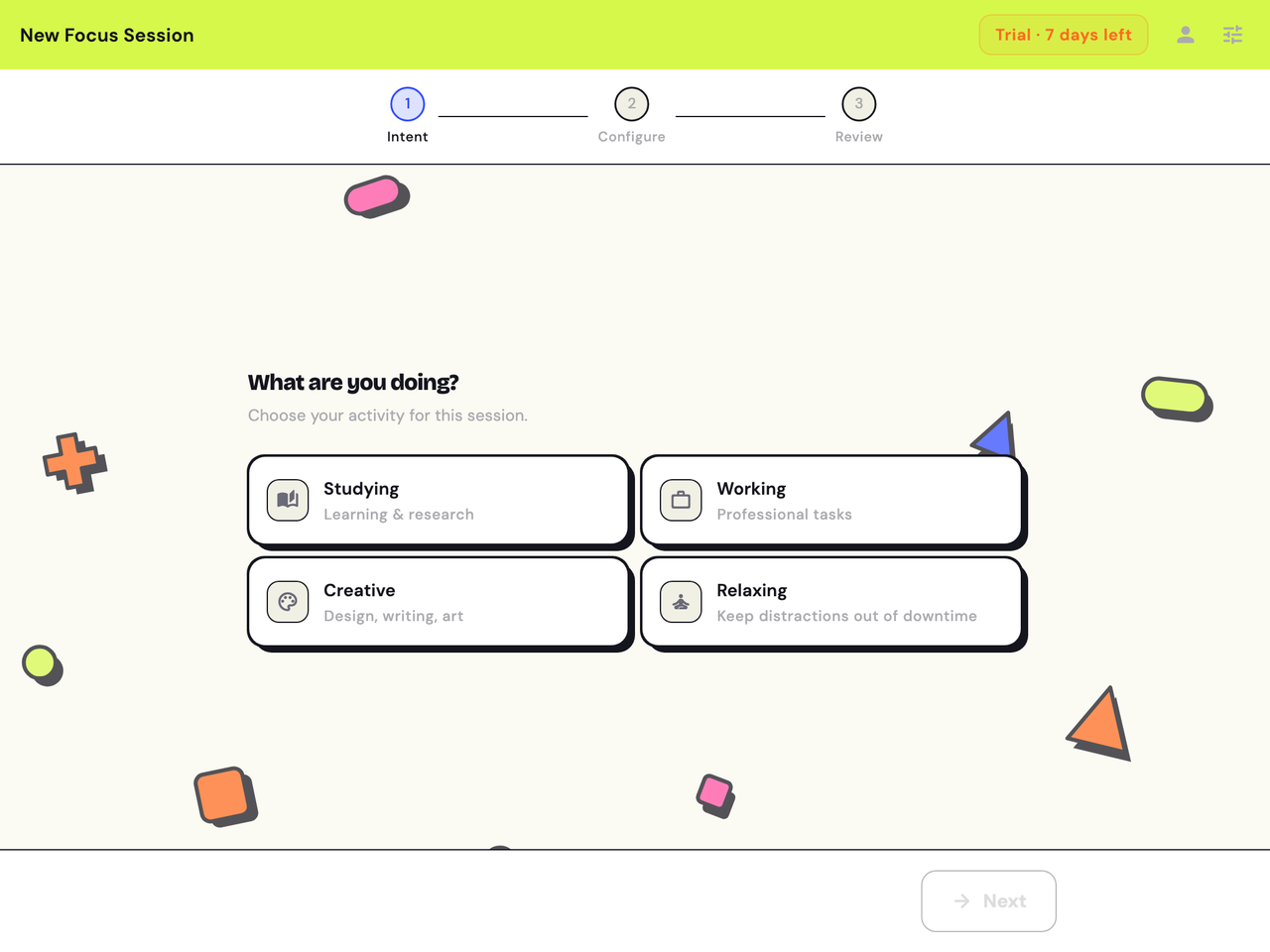
Studying, Working, Creative or Relaxing. Add a subject if you’re studying, and switch on Music, Podcasts or Messaging if you want them through. Relaxing runs the other way: name what stays out, and everything else loads.
A few clicks. No list of sites to type.
02
Every page gets a verdict.
The address is judged first. Where the address can’t tell (one video against the next), the content of what you opened is judged too, as the page loads. Allowed pages load directly, the normal way. On feeds, each item is judged and off-intent items are removed before they render, so the feed gets shorter rather than walled off.
A blocked page is replaced by a block page with the address and a Re-evaluate link. Think it got one wrong? Press it, and a slower, smarter model lifts the block or lets it stand, on the spot.
SESSION Studying: STEM
-
chem.libretexts.org/The address alone says coursework. verdict: AllowBookshelves/ Organic_Chemistry -
discord.com/Messaging is off for this session. verdict: Blockchannels -
youtube.com/The address can’t tell, so the title is judged as it loads. verdict: Allowwatch?v=…
Address first. Content where the address can’t tell.
03
Stopping early is a hold, not a click.
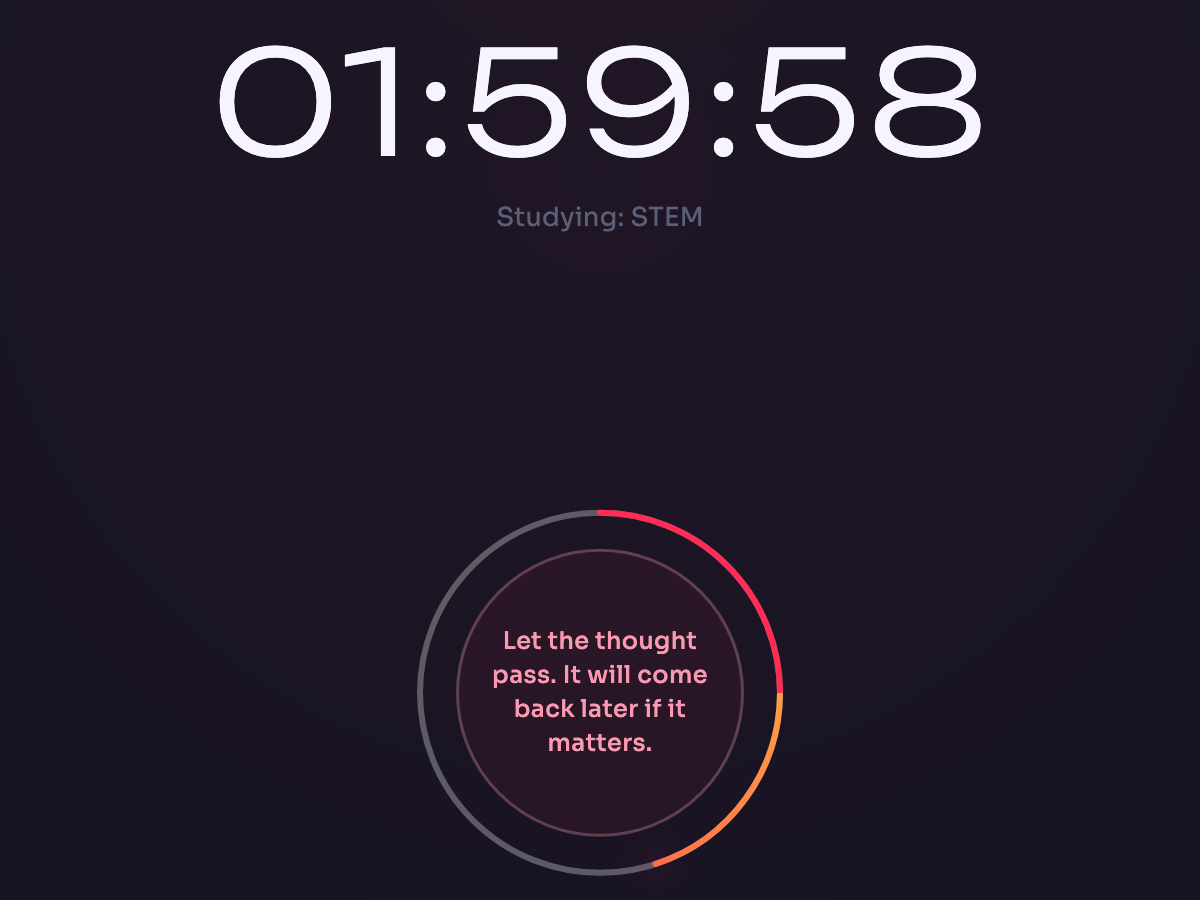
To end a session before the timer, you hold the orb. Long enough to notice what you’re about to do.
“Let the thought pass. It will come back later if it matters.”
The hold length is yours to set, before you start.
Want a lock, not just a pause?
Give the session no end time and set a long hold. During a session there is no settings screen and no off switch. Close the app and open it again, and you are back on the same session. Restart the machine, let the battery run flat, close the lid, log out: the session is still running when you come back.
Free for 7 days, no card. Pick a session tonight.
Teams & schools
A policy in your own words. A ruling on every request.
Write what the machines are for, in your own words, and deploy it per machine or across all of them.
- A policy in natural language. As short as “engineering work, payments platform, no social media” or as detailed as the machines need. No category trees, no lists to maintain.
- Nothing on anyone’s screen. No app to open, no off switch to find. A background service holds the policy, through a reboot included.
- Nothing recorded about a person. No per-person record, nothing tied to a person or a machine, nothing reported to anyone.
9.99 EUR per seat per month. Same download, policy per machine or global. Verified against your gateway in the pilot.
POLICY “engineering work, payments platform, no social media”
-
github.com/verdict: Allowyourco/ payments/ pull/ 812 -
github.com/verdict: Blocktrending -
docs.stripe.com/The API the team is integrating. verdict: Allowapi/ payment_intents -
x.com/verdict: Blockhome
The repository opens. The trending page never takes hold.
Price
Free for a week. Then one price for everything.
Try it on a real week, then decide.
Free for 7 days
9.99 EUR a month after that
- Unlimited sessions and unlimited hours
- Studying, Working, Creative and Relaxing, every subject, every toggle
- macOS and Windows, the same download
- Runs in the background, survives a reboot
- Subscribe and cancel from the app
Free account, no card. Nothing is charged until you subscribe from the app, and when the free week ends the filter simply stops until you do.
Teams and schools: 9.99 EUR per seat per month, same product, policy per machine or global. Get a pilot plan
Straight answers
The questions people ask before they download.
Does it block all of YouTube?
No, and that is the point. Focusing App judges each page against what you said you are doing. In a Studying session the lecture and the tutorial play, while Shorts, the home feed and the off-topic autoplay never show up. The same goes for Reddit, Wikipedia, Spotify, Instagram and X: same site, different verdict, one page at a time.
How does it decide?
The address is judged first. Where the address alone can’t tell (one video against the next, one thread against the front page), the content of what you opened is judged too, as the page loads. On feeds, each item is judged and off-intent items are removed before they render. An AI model makes the call, and off-intent pages are blocked before you see them.
What leaves my computer, and what do you keep?
What leaves: the address, the session or policy in force, and, where the address alone can’t decide, the content being judged, such as a video’s title or the text of a post. What we keep: the ruling itself (the address, any content that went out with it, the verdict, when it was made, and the session or policy label), with no account, device or person attached. No profile is built, no per-person record exists, and nothing ties a ruling to you. A verdict comes back, and that is the whole transaction.
What if it blocks something I need?
Press Re-evaluate on the block page. The page goes to a slower, smarter model, and the block either lifts or stands. No settings dig, no ticket. If the same wrong block keeps coming up, be more specific about what it is judging against: Studying with Law chosen gets fewer close calls than Studying alone, and for a deployed policy, naming the tool gets fewer than naming the department.
Can I turn it off?
Yes: hold the orb. Stopping early is a hold, not a click, and you set the hold length before the session starts. The filter keeps running with the app window closed, through a reboot included. If you want it to feel like a lock rather than a pause, see “Can I lock myself in?”.
What does it cost?
Free for 7 days from the moment you create your account, no card. After that it is 9.99 EUR a month for unlimited use: unlimited sessions, every feature, macOS and Windows. Teams and schools pay 9.99 EUR per seat per month. You subscribe from the app, through a checkout page in your browser, and cancel from the app.
Is there a phone version?
No. Focusing App runs on macOS and Windows. The desktop is where the work happens, so that is where the filter lives. If you are reading this on your phone, send yourself the link and pick it up at your desk.
Will it slow my browsing down?
No. The check happens where you can’t feel it: the address is judged as the request goes out, the content as the page loads.
Is this a VPN?
No. A VPN sends your traffic through someone else’s servers. Focusing App is a local filter that runs on your own machine and covers every browser and every app on it. Allowed pages load directly. What goes out for a verdict is the address, the session in force and, where the address alone can’t decide, the content being judged.
Can I lock myself in?
Yes. Give the session no end time and set the hold as long as you like before you start. From then on the app shows only the session screen: no settings, no account page, no off switch. Relaunch it and you land on the same session. Turn the machine off, pull the plug, reboot it, let it sleep, log out: the filter is still on when it comes back. A session also ends when your trial or subscription ends.
Which browsers and apps does it cover?
Every browser and every app on the machine, because it filters at the network layer rather than inside one browser.
Who is behind it, and whose laws apply?
Deeptegrity Kft, based in Budapest, Hungary. EU jurisdiction, so GDPR applies by law. Questions a DPO would ask get answered by a human at hello@focusing.app.
Focusing App for macOS and Windows
Start a session
tonight.
Download, sign in, start a session. The first week is free, and the lecture still plays.
Free for 7 days, no card. Then 9.99 EUR a month, unlimited, cancel from the app.