For your evenings · macOS and Windows
You don’t lose days.
You lose evenings.
Late, laptop still on, one click from the page you didn’t mean to open. A Relaxing session blocks only what you named, and the rest of the evening is still yours: Netflix plays, the subreddit you came for loads, the feed never shows up.
Free for 7 days · no card · then 9.99 EUR a month, unlimited, cancel from the app
SESSION Relaxing: blocking doomscrolling, gambling, adult content
-
reddit.com/The thing you actually wanted to do tonight. verdict: Allowr/ woodworking -
reddit.com/The front page is everyone else’s evening. verdict: Blockr/ all
Same site. Different verdict.
What a Relaxing session does
Pick what stays out. Keep the rest.
SESSION Relaxing: blocking doomscrolling, gambling, adult content
-
youtube.com/A channel you chose to open. verdict: Allow@… -
youtube.com/The feed that plays the next one for you. verdict: Blockshorts
SESSION Relaxing: blocking doomscrolling, gambling, adult content
-
netflix.comA film is not a feed. Nothing you named applies. verdict: Allow -
x.com/The timeline is a feed. verdict: Blockhome
SESSION Relaxing: blocking doomscrolling, gambling, adult content
-
x.com/Someone wrote to you. verdict: Allowmessages -
x.com/Same site, one path over. verdict: Blockhome
Relaxing runs the other way round: you name at least one thing to keep out (Work, Social Media, Doomscrolling, News, Academic, Gambling, Adult Content) and everything else loads the normal way. The betting tab, the adult tab and the front page are the same class of thing here: pages you decided, in daylight, to keep at a distance. No judgment, just distance.
Ending a session early
You can always stop. You just can’t stop by accident.
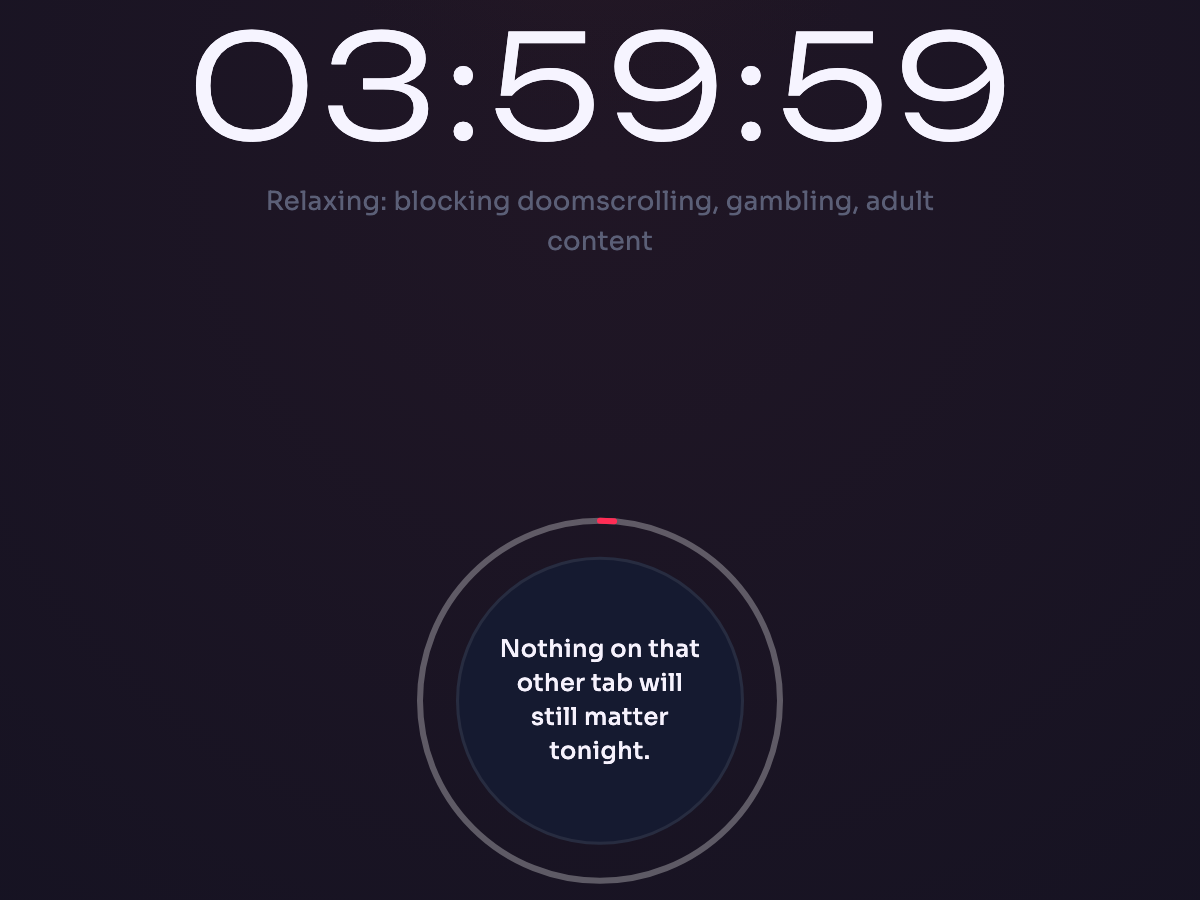
Three reasons the app gives you to keep the evening you planned
“Nothing on that other tab will still matter tonight.”
“Make it a session you will be glad you kept.”
“Let the thought pass. It will come back later if it matters.”
Ending a session before the timer is a hold on the orb, not a click. Long enough to notice what you are about to do. The hold length is yours to set.
The version of you that started it stays in charge, not the one at the keyboard at 1 a.m.
If you want a lock, not just a pause
Give the session no end time and set the hold as long as you like, before you start. From then on the app shows only the session screen: no settings, no account page, no off switch. Turn the machine off, pull the plug, reboot it, let it sleep, log out, and the filter is still on when it comes back. Relaunch the app and you land on the same session. To end it early you hold, at the length you chose in daylight.
Free for 7 days, no card. Your first session can be tonight.
Tonight, then.
Free for 7 days, no card. Download, sign in, pick what stays out.
On your phone? Send yourself the link for your desk.
Focusing App runs on your Mac or PC, not your phone. The link opens the download buttons there.
How the evening goes
Decide once, in daylight.
You pick what stays out at an hour when that is an easy thing to do. After that there is nothing left to decide at the hour when deciding is hardest.
01
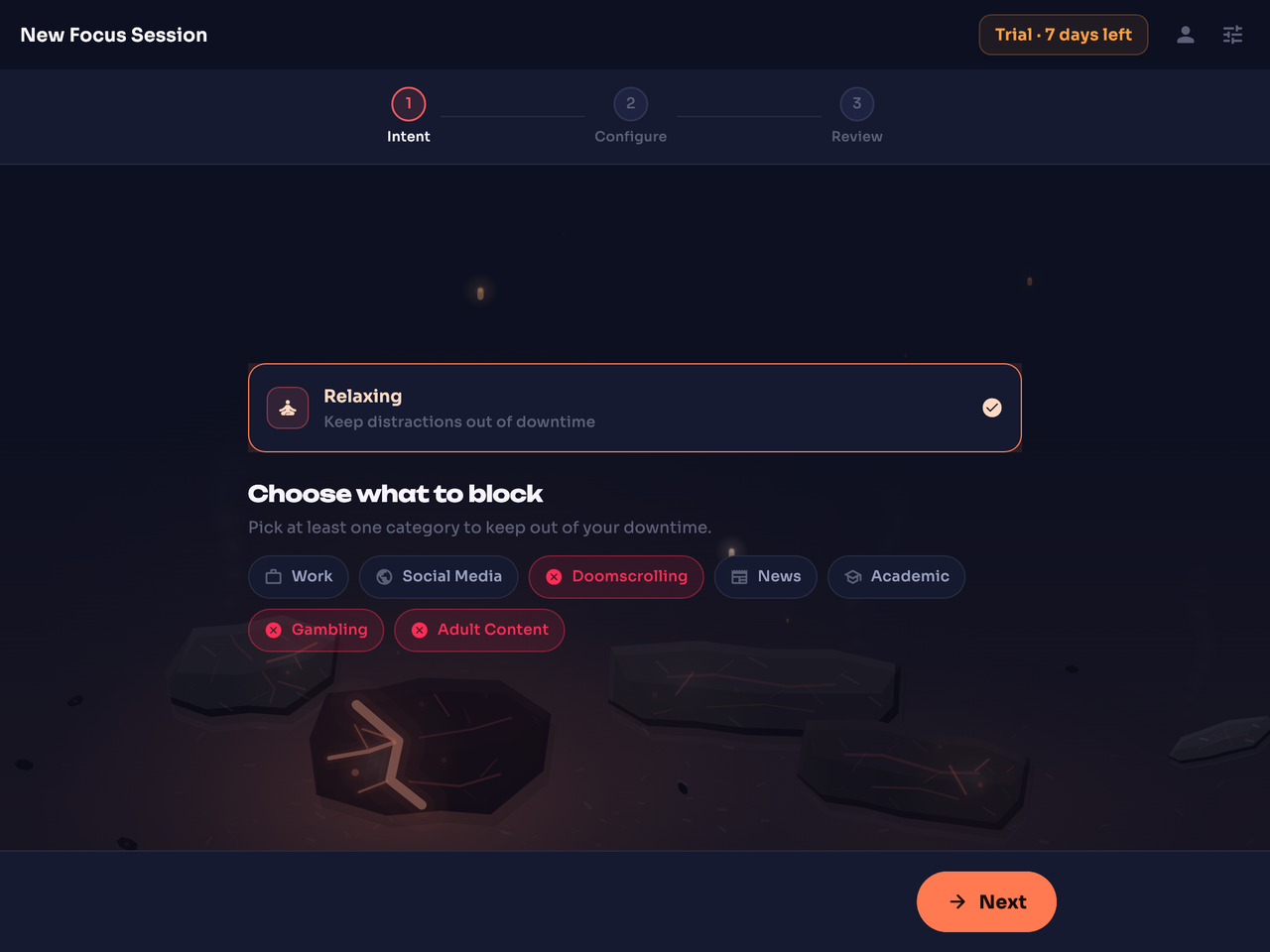
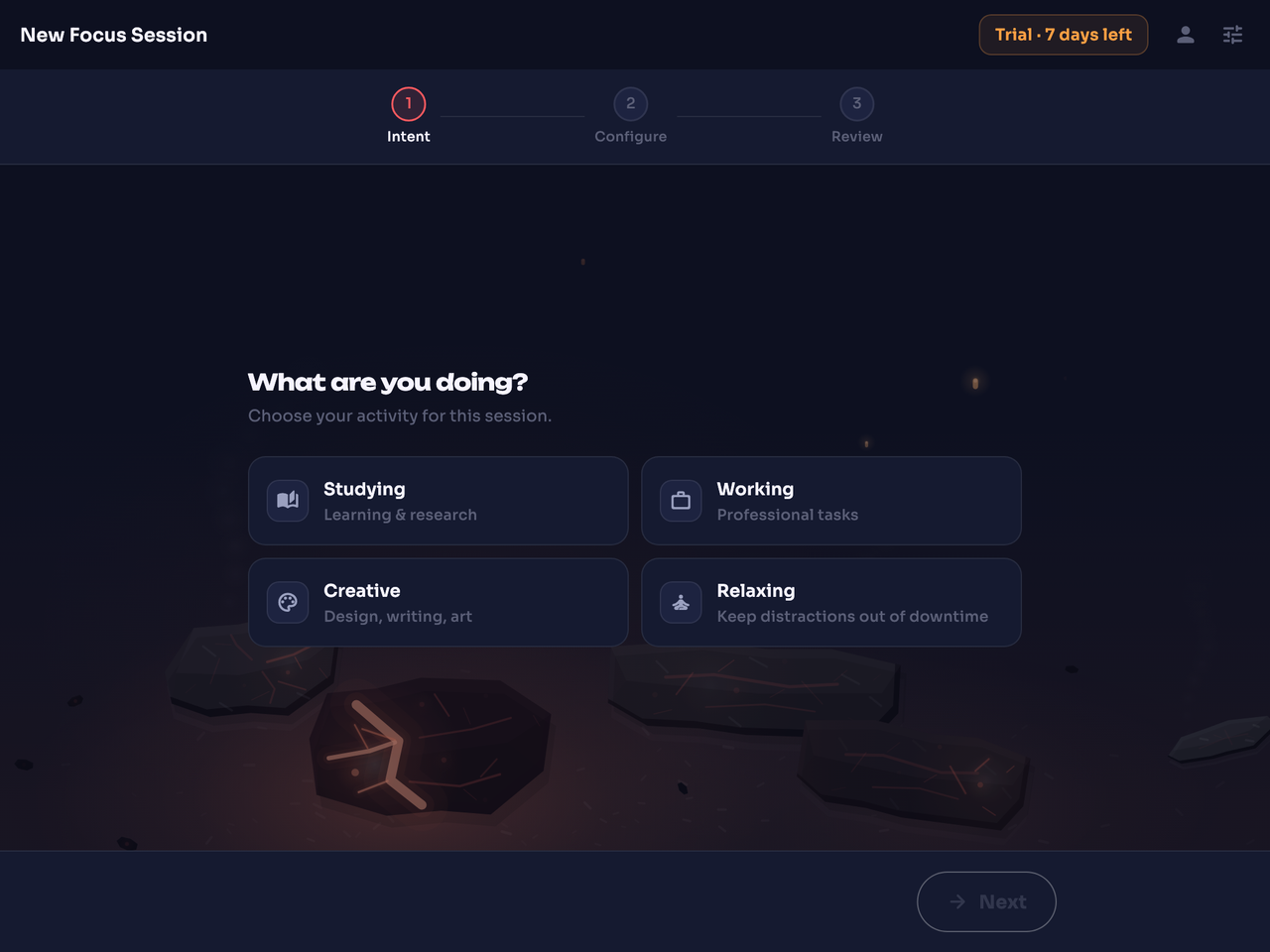
Pick Relaxing, and say what stays out.
Name at least one thing to keep out of your downtime. Everything else is left alone. Give it a length, or no limit at all.
The app writes the label itself: “Relaxing: blocking doomscrolling, gambling, adult content”.
02
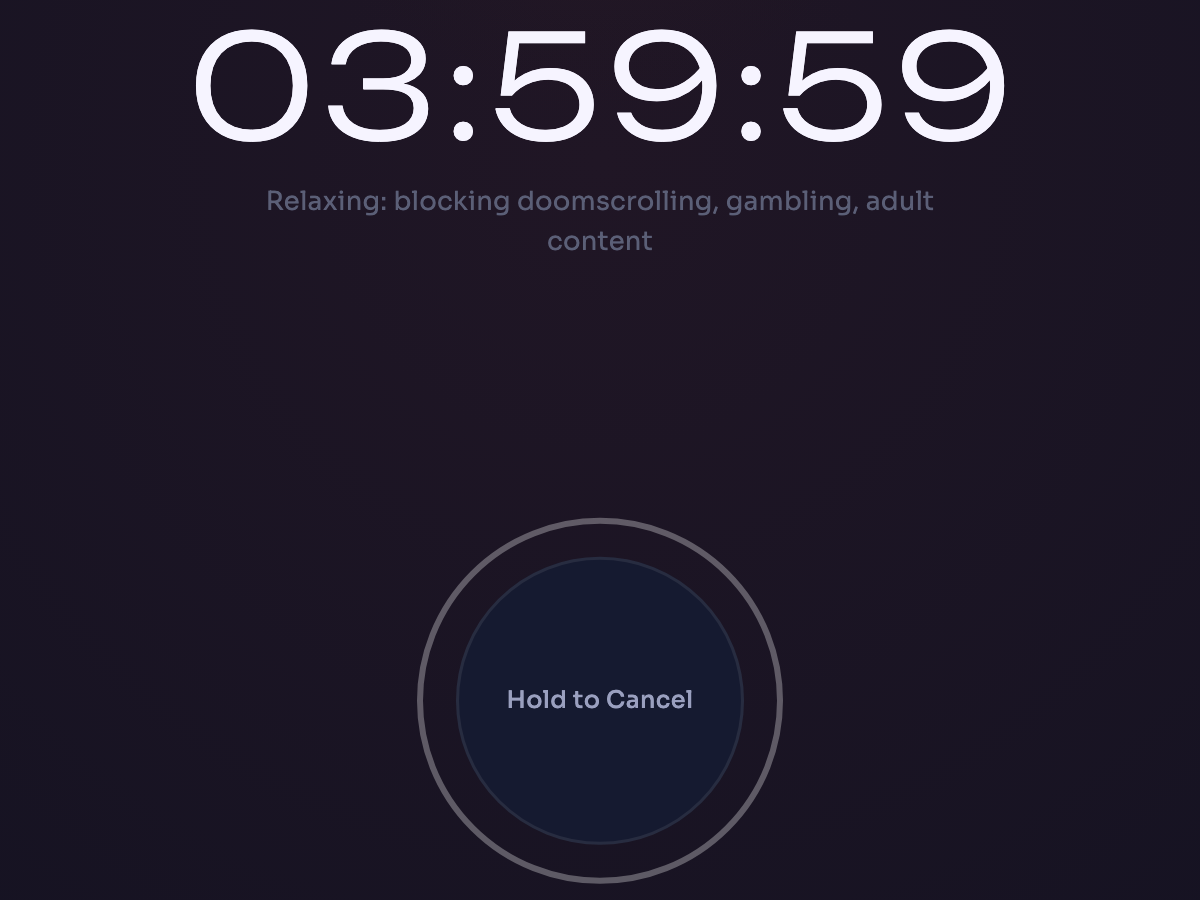
Start it, then close the window if you like.
The countdown, the label, the orb. Close the window if you like: the filter runs underneath, at the network layer rather than inside one browser, so it covers every browser and every app on the machine, and it is still there after a reboot.
A local filter, not a VPN. Allowed pages load directly.
03
What you named never shows up.
A block page stands where the site would have been, with the address on it and a Re-evaluate link. Press it and the page goes to a slower, smarter model, which either lifts the block or leaves it standing. In a feed, the items you named are simply not there to scroll past.
What goes out for a verdict
The address, the session in force, and where the address alone can’t decide, the content being judged, such as a video’s title or the text of a post.
Nothing ties a ruling to you: the ruling is kept with no account, device or person attached, no profile is built and no per-person record exists.
Price
Free for a week. Then one price for everything.
Try it on a real week of evenings, then decide.
Free for 7 days
9.99 EUR a month after that
- Unlimited sessions and unlimited hours
- Studying, Working, Creative and Relaxing, every subject, every toggle
- macOS and Windows, the same download
- Runs in the background, survives a reboot
- Subscribe and cancel from the app
Free account, no card. Nothing is charged until you subscribe from the app, and when the free week ends the filter simply stops until you do.
Straight answers
The questions people ask before they download.
Can I turn it off?
Yes: hold the orb. Stopping early is a hold, not a click, and you set the hold length before the session starts. The filter keeps running with the app window closed, through a reboot included. If you want it to feel like a lock rather than a pause, see “Can I lock myself in?”.
Can I lock myself in?
Yes. Give the session no end time and set the hold as long as you like before you start. From then on the app shows only the session screen: no settings, no account page, no off switch. Relaunch it and you land on the same session. Turn the machine off, pull the plug, reboot it, let it sleep, log out: the filter is still on when it comes back. A session also ends when your trial or subscription ends.
What if it blocks something I need?
Press Re-evaluate on the block page. The page goes to a slower, smarter model, and the block either lifts or stands. No settings dig, no ticket. If the same wrong block keeps coming up, be more specific about what it is judging against: Studying with Law chosen gets fewer close calls than Studying alone, and for a deployed policy, naming the tool gets fewer than naming the department.
What leaves my computer, and what do you keep?
What leaves: the address, the session or policy in force, and, where the address alone can’t decide, the content being judged, such as a video’s title or the text of a post. What we keep: the ruling itself (the address, any content that went out with it, the verdict, when it was made, and the session or policy label), with no account, device or person attached. No profile is built, no per-person record exists, and nothing ties a ruling to you. A verdict comes back, and that is the whole transaction.
What does it cost?
Free for 7 days from the moment you create your account, no card. After that it is 9.99 EUR a month for unlimited use: unlimited sessions, every feature, macOS and Windows. Teams and schools pay 9.99 EUR per seat per month. You subscribe from the app, through a checkout page in your browser, and cancel from the app.
Is there a phone version?
No. Focusing App runs on macOS and Windows. The desktop is where the work happens, so that is where the filter lives. If you are reading this on your phone, send yourself the link and pick it up at your desk.
Is this a VPN?
No. A VPN sends your traffic through someone else’s servers. Focusing App is a local filter that runs on your own machine and covers every browser and every app on it. Allowed pages load directly. What goes out for a verdict is the address, the session in force and, where the address alone can’t decide, the content being judged.
Which browsers and apps does it cover?
Every browser and every app on the machine, because it filters at the network layer rather than inside one browser.
Focusing App for macOS and Windows
Get the rest of
the night back.
The first week is free. No card.
Free for 7 days, no card. Then 9.99 EUR a month, unlimited, cancel from the app.